How to Download Douyin Videos Without a Chinese App

Douyin is the Chinese version of TikTok, home to a huge library of cooking, fashion, travel, and entertainment clips you won't easily find elsewhere. The problem is that when you want to save a Douyin video, it's easy to assume you need to install the Chinese-language app, register with a Chinese phone number, and fight through a menu full of characters you can't read. You don't. With nothing more than the browser already on your phone or computer, you can grab the link and download a Douyin video — with sound, in crisp HD, and with no watermark — without installing any app at all. This guide covers every step, how to copy the right link, and how to fix common errors.
Why download Douyin videos in your browser?
The route most people picture is installing the Douyin app, but it wants a Chinese phone number to register, the interface is entirely in Chinese, and videos saved in the app usually still carry a watermark and username. A web tool avoids all of that. VidBake is a free downloader that runs right in your browser: nothing to install, no account, no sign-in — and it works the same on iPhone, Android, PCs, and Macs. You just paste a link, the tool recognizes it as a Douyin video, and it fetches the original highest-quality file — HD or Full HD (Douyin almost never offers 4K) — clean of any logo or username.
One point about safety: VidBake pulls the file straight from Douyin's source server to your device, keeps no copy of your video, does no tracking, and clears the data as soon as the download finishes. And because you never log in, your social accounts are never linked to it.
How to copy a Douyin video link
Before downloading, you need a link that points to the exact video. Douyin uses a few different link formats and all of them work, including Chinese-language links. You don't need to trim or edit anything — copying the whole shared block is fine.
- From the Douyin app: open the video, tap Share (the arrow icon), and choose Copy link. The copied text usually includes a shortened v.douyin.com/… link.
- From a browser: open douyin.com, tap the video to open it, then copy the full URL from the address bar.
- From a friend's message: if someone sent you the video in a chat, the shared text already contains a v.douyin.com/… link — just copy the whole thing.
- Chinese links are fine too: if the link or shared text is mixed with Chinese characters, paste it in as-is and the tool will detect the link inside.
Steps to download a Douyin video with VidBake
- Copy the Douyin video link using one of the methods above. If the shared block includes a caption, copy the whole thing — you don't need to separate the link.
- Open vidbake.com/douyin in your browser. No sign-in, no app to install; it works on iPhone, Android, PC, and Mac.
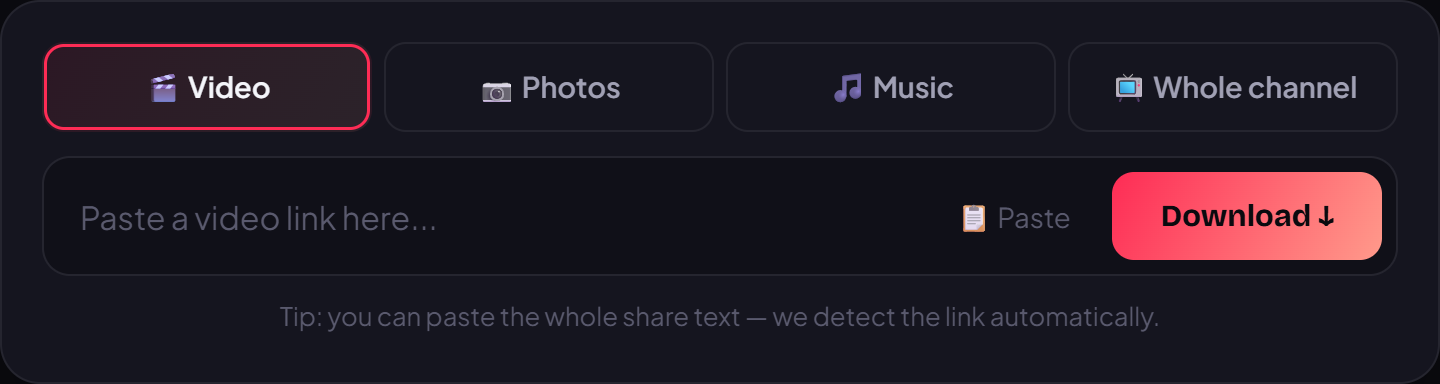
- Paste the link into the box. On a phone: tap and hold the field, then choose Paste. On a computer: press Ctrl+V (or Cmd+V on a Mac).
- Press the Download button. VidBake reads the link, recognizes it as a Douyin video, and fetches the original file from the source server.
- Pick what you need: the HD video with no watermark for offline viewing, the audio pulled out as an MP3, or the full photo set if it's a slideshow post.
- Save it to your device. The file downloads directly from the source server, so it's fast and private, and nothing is stored on the site afterward.
Tips to download faster and get exactly what you want
Follow a Douyin creator and want several of their videos? You don't have to grab them one at a time — VidBake can download a whole channel: paste the creator's profile link instead of a single-video link to pull them in bulk. If you only need the audio, choose the extract-audio option to get a standalone MP3. And for slideshow posts, you can download the full set of original photos.
About where files land: on iPhone a finished download usually appears in the Files app (or you can save it to Photos); on Android it goes to your Download folder; on a computer, your default Downloads folder. If you plan to reuse the video — trimming, adding subtitles, or swapping in music — you can edit it free with VidBake Studio on Windows and export in HD with no watermark, no account needed.
Common problems and how to fix them
If the page says it can't recognize the link, the copy was probably incomplete or you pasted a non-video URL (a home page or search page). Go back to Douyin, tap Share and Copy link again to be sure you have the actual video link, then paste it once more.
- Pasted a link but nothing happens: check that it points to a specific video, and copy it again with the app's Share button rather than typing it out.
- Video won't download: it may have been deleted, set to private, or region-restricted. Try a different public video to confirm.
- Slow or interrupted download: this is usually your network or a busy source server. Check your connection and press Download again; files come straight from the source, so speed depends on your line.
- Can't find the file on iPhone: open the Files app and look under Downloads, or choose to save it to Photos right after the download.
Frequently asked questions
Do I need the Chinese Douyin app? No. Everything happens in your browser; you install nothing.
Will the downloaded video have a logo or username? No. You get the original HD file, clean of any watermark or username.
Do I need to sign in or create an account? No. Because you never log in, your social accounts are never linked to it, and the site keeps no copy of your video.
Is there a cost? It's completely free, with no limit on how many videos you download.
Which other platforms can it handle? Besides Douyin, VidBake also supports TikTok, Instagram, and Facebook, plus extracting TikTok audio to MP3 and downloading photo slideshows.
That's all there is to it — no Chinese app, no account, no hassle. Next time you spot a Douyin video worth keeping, just copy the link, open vidbake.com/douyin, paste it, and hit Download. Give it a try today and save HD, watermark-free Douyin videos in seconds.