How to copy a Douyin video link from the Chinese app
Douyin is the Chinese version of TikTok, home to an enormous library of food, fashion, travel, and comedy clips. The catch is that the whole app is in Chinese characters, so most people can't tell which button copies a video's link so they can download it. In truth you only need to recognize two icons — Share (分享) and Copy link (复制链接). Once you have the link, paste it into VidBake and you'll get the original Douyin video: no watermark, no creator name stamped on it, in full HD — without reading a single Chinese word. This guide walks you through it step by step, plus how to grab the link in different situations and what to do when it won't load.
Why copy the link instead of saving in the app?
Douyin does have a built-in save button (保存本地, 'save to device'), but that copy usually comes stamped with the Douyin logo and the creator's username across the screen, is sometimes downgraded in quality, and many videos have saving disabled entirely. Copying the public link and using VidBake is cleaner: you get the original file pulled straight from Douyin's servers — no watermark, full original quality (HD/Full HD) if the uploader posted it that way. VidBake runs right in your browser, with no Chinese app to install and no Douyin account needed. Before you start, it helps to recognize a few Chinese labels:
- 分享 (Share) — a curved, right-pointing arrow in the vertical button column on the right of the video.
- 复制链接 (Copy link) — a chain-link icon 🔗 in the share sheet; this is the button you want.
- 链接已复制 (Link copied) — the confirmation message that pops up when it works.
- 保存本地 (Save to device) — saves with the logo and username baked in, so avoid it if you want a clean copy.
- 主页 (Profile) — the creator's profile page, used when you want to download the whole channel.
Steps to copy a Douyin link and download the video
- Open the Douyin app and tap the video you want so it plays full screen.
- Look at the vertical column of icons on the right. Below the heart (like) and the comment bubble is the Share button 分享, a curved arrow — tap it.
- A panel slides up from the bottom. The top row is usually apps (微信 WeChat, QQ...) — skip that row. In the row of function icons, find 复制链接, the chain-link icon 🔗.
- Tap 复制链接. Douyin shows 链接已复制, meaning the video link is now on your clipboard.
- Open your browser (Safari on iPhone, Chrome or Edge on Android and computers) and go to vidbake.com/douyin.
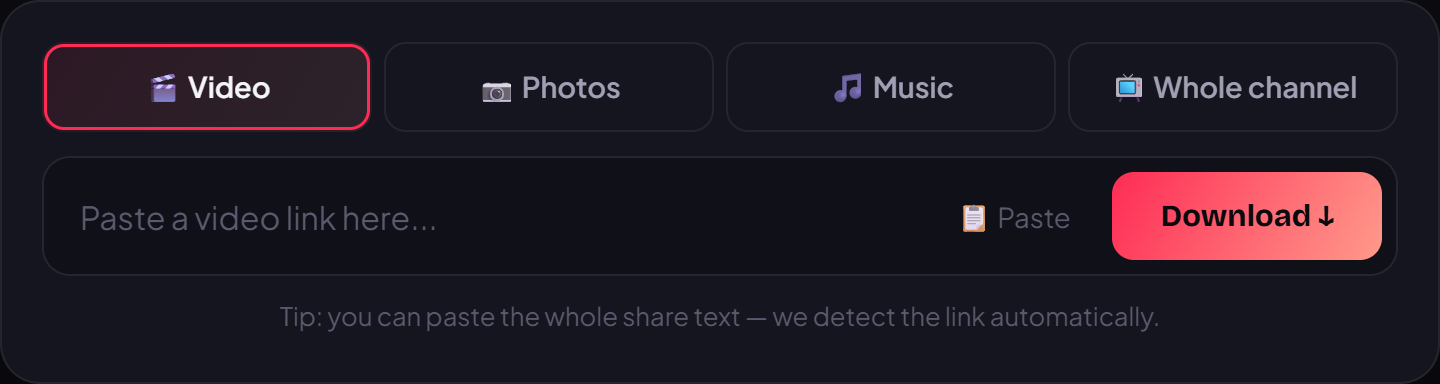
- Tap and hold the input box and choose Paste, or press Ctrl+V on a computer. If you copied the whole shared text with some Chinese in it, that's fine — VidBake picks out the actual link.
- Press Download, choose your quality (HD/Full HD), and save the file. It's clean of any logo, with no login and no Chinese app required.
Grabbing the link in other situations
- Watching on a computer at douyin.com: just copy the URL from the browser's address bar, or click 分享 then 复制链接 like in the app.
- Sent a video by a friend in chat (WeChat, Messenger, WhatsApp...): the shared message usually already contains a short v.douyin.com/… link — copy that and skip opening Douyin altogether.
- Want the whole channel: open the creator's 主页 (profile), copy that page's link, and use VidBake's bulk channel download to grab many videos at once.
- Only need the sound: paste the video link into VidBake and choose the MP3 option to save the audio on its own for a ringtone or background track.
Common problems and how to fix them
- Pasted a link but nothing loads: make sure you tapped 复制链接 (the chain link), not 保存本地 or a share-to-app button. A correct link usually contains v.douyin.com or douyin.com.
- Copied a profile link by mistake: if you hit share from someone's 主页, the link points to the whole channel, not a single clip. Open the actual video and share from there.
- Link errors out or has expired: reopen the video in the app, copy the link once more, and paste it again into VidBake.
- The app keeps trying to open WeChat: ignore the app row at the top and tap only 复制链接 in the function row — you don't need WeChat to copy a link.
- Private or friends-only videos: these can't be downloaded because they require your account's viewing permission; only public videos give you a shareable link.
Frequently asked questions
Do I need a Douyin account? No. VidBake only needs the public video link — you never log into Douyin or install anything.
Does it work on iPhone? Yes. The steps are identical on iPhone, Android, PC, and Mac because everything runs in the browser, with no separate software to install.
Will the download have a logo? No. You get the original file, free of any watermark or username, at the original HD/Full HD quality the uploader posted.
Does VidBake keep my video? No. The file downloads straight from Douyin's servers to your device; VidBake stores nothing, tracks nothing, and clears the data right after. Since there's no login, your account is never touched.
Is it free? Completely free, with no limit on how many videos you download. Come back to copy, paste, and save as many clips as you like.