How to Bulk Download a Whole Douyin Channel for Free

Found a Douyin creator you love and want to keep their entire catalog — to watch offline, study how they cut and edit, or back things up before a channel gets renamed or taken down? Saving clips one at a time is slow, and each one usually arrives stamped with a watermark and the creator's username. Instead of hoarding a hundred videos by hand, you can bulk download a whole Douyin channel in a single pass: free, watermark-free, and in the highest quality the video offers (HD or Full HD; Douyin almost never has 4K). No app to install, no account to create, and it works on both phone and computer. This guide walks through every step, plus tips to keep quality high and fixes for the problems people hit most.
What bulk-downloading a Douyin channel means, and why do it
Douyin is the Chinese version of TikTok, home to a massive library of short videos, much of which never shows up on the international TikTok app. "Downloading a whole channel" means that instead of opening each video and saving it on its own, the tool scans every public post on a profile, lists them out, and lets you grab many clips at once. That saves a lot of time when a channel has dozens or hundreds of videos, and it means you won't miss anything. Common reasons to pull a full channel: offline viewing on a train or in a weak-signal spot; collecting reference material to study a creator's editing style, transitions, and music choices; and backing up content before a channel might be deleted, set to private, or pruned. The key detail: every file comes down clean — the original video, no watermark, and no username baked onto the frame — so it's tidy whether you're archiving or studying.
Steps to bulk download a whole Douyin channel
- Open the Douyin app or douyin.com and go to the profile (channel) you want to save. Make sure it's the page listing all of that person's videos, not a single clip.
- Tap the Share button (the arrow or three-dot icon) and choose "Copy link" to grab the channel's URL. Douyin links in Chinese work fine, as do shortened v.douyin.com links from the Share menu.
- Open any browser (Safari, Chrome, Edge...) and go to vidbake.com/douyin/tai-ca-kenh. There's nothing to install and no account to set up.
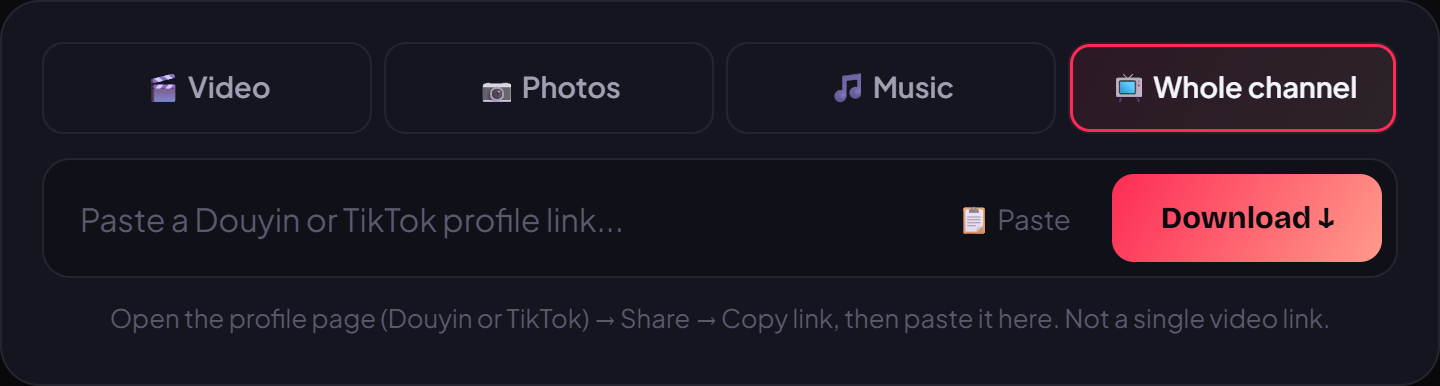
- Paste the channel link into the box on the page and press Download. VidBake recognizes it as a Douyin link and starts scanning.
- Wait a few seconds while the tool lists every public video on the channel with a preview. Each one appears as the original file, at the highest available quality, with the watermark already removed.
- Choose Download all to take the whole channel, or tick only the videos you want and start the download. For a large channel, splitting it into a few batches keeps things manageable.
- Files come straight from Douyin's source CDN to your device, so it's fast and private — VidBake doesn't keep your videos, doesn't track you, and clears data right after. Open your Downloads folder (or Photos on a phone) to watch offline.
Tips for a smooth download and the best quality
Use Wi-Fi rather than mobile data for a full channel, since the total size can be large and a stable connection avoids mid-download drops. While the browser is working, don't lock your phone or switch away from the tab — many devices pause downloads once a tab goes to the background. A computer makes this much easier: you can see progress clearly and organize files right away. Before a bulk save, create a dedicated folder per channel so nothing gets mixed up. Filenames from Douyin are sometimes strings of numbers or Chinese characters, so feel free to rename them afterward for easy searching. If you only want a few standout clips rather than the whole channel, just tick them manually to save space.
Common problems and how to fix them
- Nothing shows up after pasting: you probably copied a single video's link instead of the channel's. Go back to the profile page and copy the channel link again.
- The channel won't scan: if it's private, or the creator hid certain videos, the tool can't reach them — only public content can be downloaded.
- It downloads a few videos then stops: usually a shaky connection or the browser blocking multiple simultaneous downloads. Allow the site to download multiple files when prompted, or split the job into batches.
- A Chinese link won't paste: open it once in a browser so it redirects, then copy the full link; or use the shortened v.douyin.com link from the Share button.
- Can't find the files on iPhone: check the Files app under Downloads, or choose Save to Photos when your browser asks.
Frequently asked questions
Does bulk-downloading a Douyin channel cost anything? No. VidBake is completely free, with no cap on how many times you use it and no account required.
Will the videos have a watermark? No. You get the original file, with the watermark removed and no username stamped on the frame, at the highest quality the video offers.
Is it safe for my account? Yes. Because you never log in anywhere, your Douyin or social accounts are never tied to the download. VidBake pulls straight from the source CDN and doesn't store your videos.
Does this work for TikTok too? Yes. VidBake also supports bulk-downloading TikTok channels, plus Instagram and Facebook for individual videos. You can even save TikTok photo slideshows and pull TikTok audio as an MP3.
How many videos can I download? You can grab every public video on the channel, or just the clips you need — it's up to you.
That's it — keeping a full Douyin channel now takes just a few taps. Open vidbake.com/douyin/tai-ca-kenh, paste the channel link, and press Download to save every video in watermark-free HD today, completely free.