How to Download TikTok/Douyin Music as an MP3 (for Ringtones)

You are scrolling TikTok, a beat or a one-liner catches your ear, and you think: that would make a perfect ringtone. Then you realize neither TikTok nor Douyin gives you a button to save just the sound. It is one of the most common frustrations on both apps. The good news is that you do not need to install anything, create an account, or pay a cent. With nothing but the video link and any browser, VidBake pulls the original audio out as a clean, good-quality MP3 in under a minute. This guide walks you through the whole thing — grabbing the link, saving the MP3, and setting it as a ringtone on both Android and iPhone — plus tips and fixes for when something goes wrong.
What does extracting a TikTok/Douyin MP3 actually mean?
When you save a TikTok video, you get one .mp4 file with the picture and the sound baked together. But for a ringtone, a notification tone, or background music, you only want the audio — the original track attached to that video. Extracting an MP3 means pulling that audio stream out on its own and saving it as a lightweight .mp3 that plays on any phone or computer. VidBake does this by reading the video's original source and grabbing the audio stream directly, rather than re-recording it through a speaker. That means no hiss, no room noise, and quality that stays close to the original — with no watermark, no logo, and no creator name stamped over it.
What sets VidBake apart is that everything happens right inside your browser. You never download an unknown program or sign in, and the site does not keep your files — your data is deleted right after the download finishes, nothing is tracked, and your TikTok or Douyin account is never touched. That makes it safe for everyone in the house, from kids to grandparents.
Steps to download TikTok/Douyin audio as MP3
The whole thing takes four taps and works on both phone and desktop:
- Open TikTok or Douyin and find the video with the sound you want. Tap the Share button (the curved arrow on the right edge), then choose Copy link. If you are watching in a browser, just copy the URL from the address bar.
- Open any browser — Safari, Chrome, or Edge all work — and go to vidbake.com/tiktok/mp3.
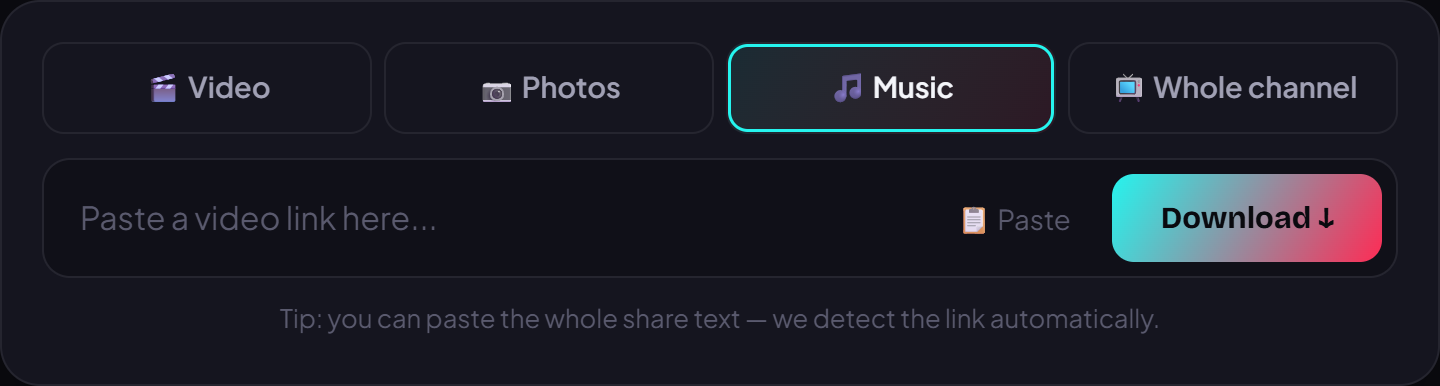
- Paste the link into the box and press Download. VidBake recognizes the video and separates the original audio.
- Wait a few seconds; when the MP3 download button appears, tap it to save the file. It lands in your Downloads folder — no logo, no watermark, ready to use.
How to set the MP3 as a ringtone
Once you have the MP3, setting it as a ringtone differs slightly by device:
- On Android: go to Settings > Sound (or Sound & vibration) > Ringtone and pick the MP3 you just saved. Many Samsung, Xiaomi, and Oppo phones also let you open the file in the music app and tap ‘Set as ringtone’.
- On iPhone: iOS won't accept a raw MP3 as a ringtone, so use Apple's free GarageBand app. Open the MP3 in GarageBand, trim the part you want (iPhone ringtones max out at 30 seconds), then press and hold the file and choose Share > Ringtone. Finish in Settings > Sounds & Haptics > Ringtone.
- On PC or Mac: download the MP3 to your computer first, then move it to your phone over a USB cable, AirDrop (iPhone and Mac), or by messaging it to yourself.
Tips for a clean, usable file
- Pick a video with clear audio and little talking over the music if you want it as background sound.
- Making your own clip on Windows? VidBake Studio is a free video editor that lets you drop this MP3 onto a timeline, add text and captions, and export in HD with no watermark.
- Douyin (China's TikTok) works the same way: paste the Chinese-language link into the same box on VidBake and the audio comes out as MP3 just fine.
- Rename the file to something memorable as you save it, so you don't have to hunt through a long list later.
Common problems and how to fix them
- Nothing happens after pasting: make sure you copied the actual video link (it starts with https), not a caption. Copying again from the Share button is the surest fix.
- Private video: only public videos can be extracted. If the clip is private or friends-only, ask the poster to make it public or look for a public re-upload.
- The file won't play on iPhone: iOS sometimes opens the MP3 in the browser instead of saving it. Tap Share in Safari, choose ‘Save to Files’, then open it in GarageBand.
- Voices mixed into the music: that means the original TikTok blended the creator's voice with the track. Try a different video that has only the music, or use the original version of the song.
- Slow or interrupted download: a shaky connection is the usual culprit. Wait a moment and paste the link again — VidBake has no download limit, so retrying is free.
Frequently asked questions
Is VidBake free? Completely free, with no download limits and no hidden fees.
Do I need an app or account? Neither. VidBake runs in your browser and never touches your TikTok or Douyin login.
Does the audio lose quality? Barely — VidBake grabs the original audio stream straight from the video's source instead of re-recording it, so it keeps the original's clarity.
Does it work on iPhone? Yes. Every download step runs in Safari; only setting the ringtone needs GarageBand, as described above.
Can I pull audio from Douyin too? Yes. Douyin shares the same box as TikTok on VidBake, Chinese-language links included.
Now you know how to turn any sound you love on TikTok or Douyin into your own MP3. Head to vidbake.com/tiktok/mp3, paste a link, and download it right now — free, no install, no login, and smooth on iPhone, Android, PC, and Mac.