How to use VidBake Studio to edit and export video
VidBake Studio is a free video editor for Windows with a friendly, CapCut-style interface — lightweight and with no account required. If you just downloaded a video with VidBake and want to trim it, join clips, add text or drop in music before reposting, Studio does it all right on your PC, and the exported video is clean with no logo.
What can VidBake Studio do?
Studio is a full video editor: real-time preview, cut and arrange clips on the timeline, add text and captions, insert background music or generate an automatic voiceover, and apply effects and transitions. Everything works by simple drag-and-drop, so it is friendly to beginners too.
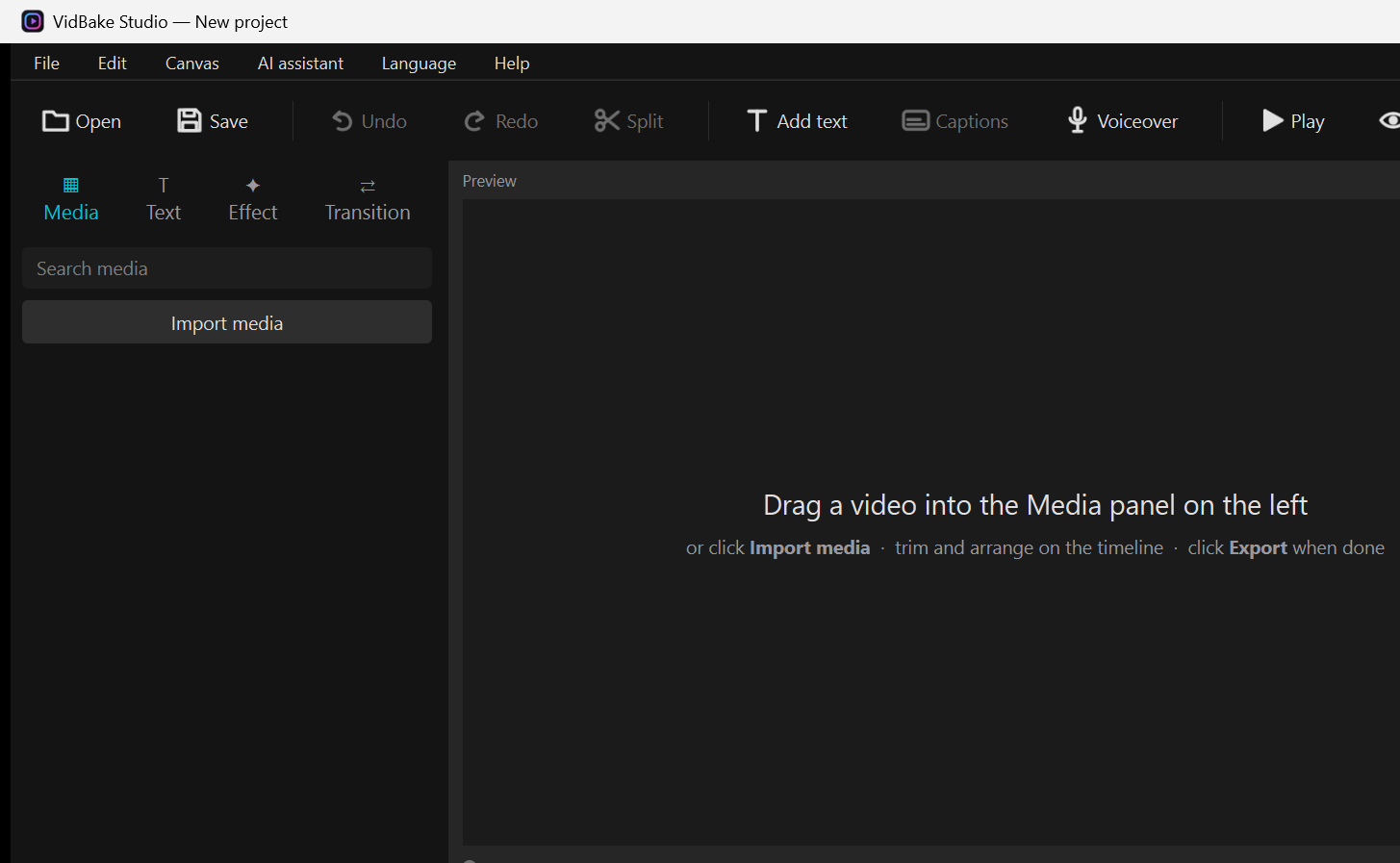
Basic steps to edit a video
- Open VidBake Studio. In the left column, click Import media (or drag a video file straight into the Media panel) to add it to your project.
- Drag the video from Media down onto the timeline. To cut out unwanted parts: move the playhead to the cut point, click Split, then select the unwanted piece and delete it.
- Add text: click Add text on the toolbar, type your words, then set the font and color and drag it into place in the Preview.
- Add music or narration: insert background music from the library, or click Voiceover to have the app read your typed text aloud.
- Add flair: open the Effect or Transition tab on the left and drag an item you like onto a clip.
- Click Play to preview. When you are happy, go to File › Export, pick a resolution (1080p for sharp quality) and wait for Studio to render an MP4 to your computer.
Frequently asked questions
Is VidBake Studio free? Yes, completely free and no login is required. Exported videos carry no watermark or logo.
Which system does it run on? Studio is for Windows 10 and 11. Download the installer, open it and follow the prompts to get started.
Is it heavy on my PC? Studio is optimized to stay lightweight; for everyday trimming and text, a regular computer runs it smoothly.